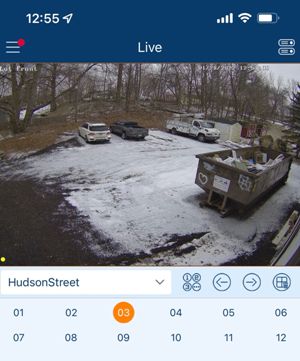
A video management system (VMS) is a centralized software platform that organizes, records, stores, and retrieves surveillance footage from your security cameras. It connects to your cameras, consolidates video feeds, and provides a unified interface for live monitoring, playback, and administration — giving you full control of your surveillance system from a single dashboard.
Legacy surveillance setups often rely on standalone recorders or siloed camera systems. These can be fragmented, limited in scale, and difficult to manage — especially as your operation expands across multiple locations.
A VMS transforms that. By integrating all cameras, storage, and management into one platform, you gain centralized oversight, better scalability, and smarter control — ensuring efficient, reliable, and cohesive security management across your entire property or network.
Unified Control and Simplified Management
A VMS brings all camera feeds, recordings, and system controls into one intuitive interface, eliminating the need to juggle multiple devices or systems.
Scalable & Flexible to Your Needs
As your facility, business, or operation grows, a VMS scales easily to support more cameras and increased storage — without the complexity of managing multiple independent recording devices.
Faster Incident Response & Efficient Review
With organized video storage, accessible playback, and powerful search tools, you can quickly locate footage, review events, and respond to incidents, reducing response times and improving security outcomes.
With high-definition video quality and the ability to access footage remotely, users experience the comfort of knowing they can monitor their property at any moment, alleviating concerns about safety.
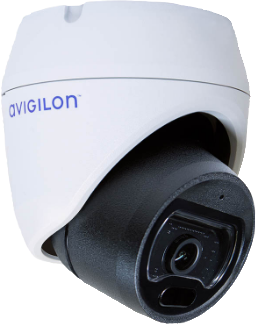
IP cameras with advanced analytics, including motion detection and people counting, streamline monitoring by alerting users to significant activities, reducing constant supervision needs. This boosts efficiency for security personnel and management. Effective video data management is crucial for accurate monitoring and storage of visual information.
The presence of visible, high-definition cameras acts as a strong deterrent for potential intruders and dishonest behavior. IP cameras also provide crucial evidence in case of incidents, which can support legal actions and reduce liability in disputes.
Though the initial investment may be higher, IP cameras reduce long-term costs due to their scalability, low maintenance needs, and ability to integrate seamlessly with other systems, ultimately lowering upgrade expenses.
Ideal for facilities like warehouses, small offices, and parking lots where ultra-high resolution isn’t a priority.
Avoids costly rewiring by using coaxial cabling already in place.
Fewer software updates and lower long-term support demands.
Mount cameras wherever you need them—indoor or outdoor, across large spaces or tough terrain. No wiring means complete flexibility to place units for optimal coverage.
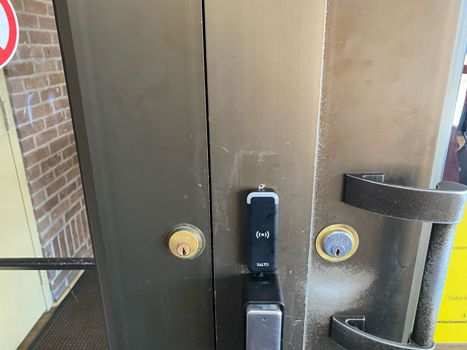
Many formats work with keycards, fobs, mobile credentials, and smart badges — giving your organization flexibility in how usersInstallation is streamlined, minimizing downtime. Wireless setups are ideal when security is needed quickly or in spaces with limited infrastructure.
Need to add cameras later? Wireless systems can grow with your needs—no need to overhaul cabling or interrupt business operations.
Without exposed wires, there’s less chance of damage, vandalism, or connectivity issues. That adds up to fewer blind spots and lower long-term maintenance.
Cloud platforms update themselves in the background, ensuring your system always has the latest security protections without manual IT involvement.
Administrators can easily set roles, permissions, and audit trails across multiple users, departments, and locations — all from one dashboard.
Since recording and storage happen in the cloud, you eliminate bulky server rooms, reduce heat and power consumption, and free up valuable space.
Cloud cameras connect with access control, alarms, visitor management, and analytics platforms, creating a unified security ecosystem with real-time data sharing.
Shift from expensive guard services to remote monitoring supported by trained professionals. You get more coverage, faster response times, and lower long-term labor costs.
Choose monitoring windows that match your operation — 24/7, after-hours, holidays, weekends, or high-risk time periods. Your system works on your schedule.
Remote monitoring reduces reliance on physical guards, eliminating blind spots, fatigue-related errors, and staffing challenges. Operators maintain consistent vigilance throughout every shift.
Your monitoring service connects directly with intrusion alarms, access control, motion sensors, and analytic rules. When a device triggers, operators instantly see what’s happening and take action.
All live and recorded camera feeds are controlled through one unified system. This eliminates the need to juggle multiple platforms and gives you a complete, streamlined view of every camera across your property.
A video management system works seamlessly with analog cameras, IP cameras, or hybrid environments. This broad compatibility allows you to connect your current equipment and expand as needed without replacing your entire camera network.
Modern VMS software includes tools such as motion detection, video analytics, tagging, and smart search capabilities. These features help you quickly pinpoint critical footage, identify unusual behavior, and accelerate the investigative process.
Automated recording, structured video storage, and fast retrieval reduce manual tasks and lower the chance of human error. A VMS also strengthens compliance by maintaining dependable archives and traceable audit logs for regulatory or internal review.
| Feature | Description |
|---|---|
| Power over Ethernet (PoE) |
PoE technology allows both power and data to be delivered through a single cable, simplifying installation and reducing setup costs.
|
| Infrared night vision |
Built-in infrared LEDs enable clear video capture in complete darkness, maintaining security visibility 24/7.
|
| Two-way audio |
Integrated microphones and speakers allow users to listen in and communicate through the camera, adding an interactive layer to surveillance.
|
| Flexible storage options |
Supports both local and cloud-based storage, giving businesses control over how and where footage is saved.
|
| Feature | Description |
|---|---|
| Dedicated Signal Path |
Analog cameras operate on isolated coaxial lines, reducing the risk of network congestion or interference from other devices.
|
| Uncompressed Video Transmission |
Footage is sent in real time without the latency that can occur with network-based systems.
|
| Simple DVR Integration |
Analog systems connect directly to DVRs without needing external switches or complex configurations.
|
| Limited Cybersecurity Exposure |
With no reliance on internet connectivity, analog systems are less vulnerable to hacking or remote tampering.
|
| Feature | Description |
|---|---|
| Encrypted Video Transmission |
Keep footage secure with high-level data encryption for every camera feed.
|
| Battery or Solar-Powered Options |
No wiring? No problem. Choose from power options that work for your environment.
|
| Dual-band connectivity (2.4 GHz / 5 GHz) |
Get stable performance with reduced interference—even in busy network environments.
|
| Seamless system integration |
Connect your cameras with alarms, access control, and cloud storage for full-site protection.
|
| Feature | Description |
|---|---|
| Multi-Stream Video Encoding |
Cameras can generate multiple video streams at different resolutions, allowing smooth remote viewing while maintaining high-quality recordings in the cloud.
|
| Built-In Health Monitoring |
Automatic system checks alert you if a camera goes offline, loses signal, or experiences performance issues — helping you resolve problems before footage is lost.
|
| Encrypted Device-to-Cloud Transmission |
Every frame is encrypted in transit using secure protocols, ensuring footage stays protected from interception or unauthorized access.
|
| Browser-Based Management (No Software Required) |
Administrators can adjust settings, review footage, manage users, and configure alerts directly through a web browser — no local software installs needed.
|
| Feature | Description |
|---|---|
| Multi-Stream Video Encoding |
Cameras deliver multiple video streams simultaneously, enabling smooth live viewing for operators while preserving high-quality recordings for evidence.
|
| Built-In Health Monitoring |
Automated system checks report offline cameras, power issues, or connection failures — ensuring uninterrupted monitoring and fast resolution of equipment problems.
|
| Encrypted Device-to-Monitoring-Center Transmission |
Every video feed is encrypted end-to-end, protecting your footage and preventing unauthorized access during transmission.
|
| Browser-Based Management (No Software Required) |
Administrators can review live feeds, manage alerts, and configure system settings from any secure web browser — no software installation required.
|
| Feature | Description |
|---|---|
| Live Monitoring and Real-Time Alerts |
Watch multiple feeds at once and get instant notifications for motion, tampering, or other set triggers, giving you immediate awareness of what’s happening on-site.
|
| Scalable Storage and Recording Options |
A VMS can handle large amounts of footage and supports local, server-based, or hybrid storage setups. As your needs expand, you can add cameras or storage without major system changes.
|
| Cross-Camera Compatibility and System Integration |
Easily connect IP cameras, analog equipment, sensors, alarms, and access control systems. This versatility turns your VMS into a central hub for unified security operations.
|
| User-Friendly Interface and Remote Access |
Log in through a browser or secure app to view live video, review recordings, adjust system settings, and manage users from anywhere, without the need for specialized equipment.
|
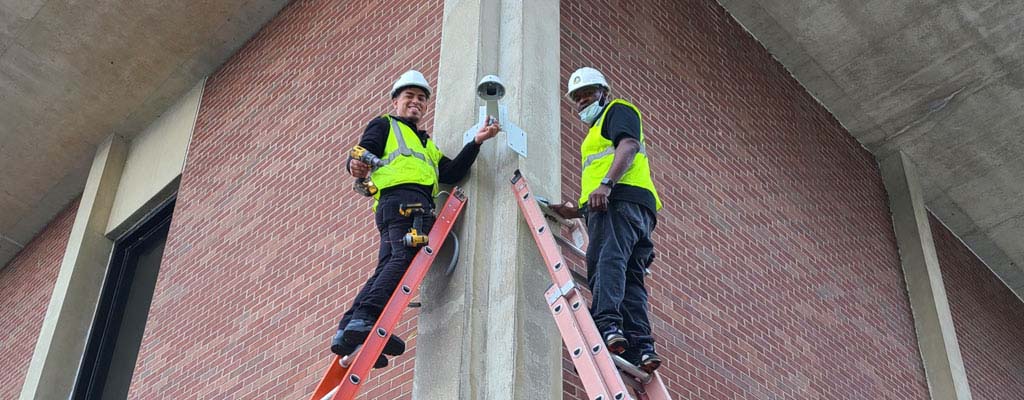
At Mammoth Security, we design and implement VMS solutions tailored to your property size, camera infrastructure, and operational needs. From initial consultation and system design to installation, configuration, and ongoing support — we handle every aspect.
Whether you’re upgrading an existing system or deploying a new one across multiple sites, we ensure seamless integration, reliable performance, and scalable growth — giving you a robust, centralized security management platform you can depend on.
Request a Free Consultation
If you can't find an answer that you are looking for, feel free to contact us.